Knowledge management with AI: answers from company documents
Yellow Tech builds an internal chatbot for employees for companies in Italy, with generative AI and RAG. It answers from manuals, procedures and closed cases, cites the document.Yellow Tech builds an internal chatbot for employees for companies in Italy, with generative AI and RAG. It answers from manuals, procedures and closed cases, cites the document.





What is an AI assistant on company documents?
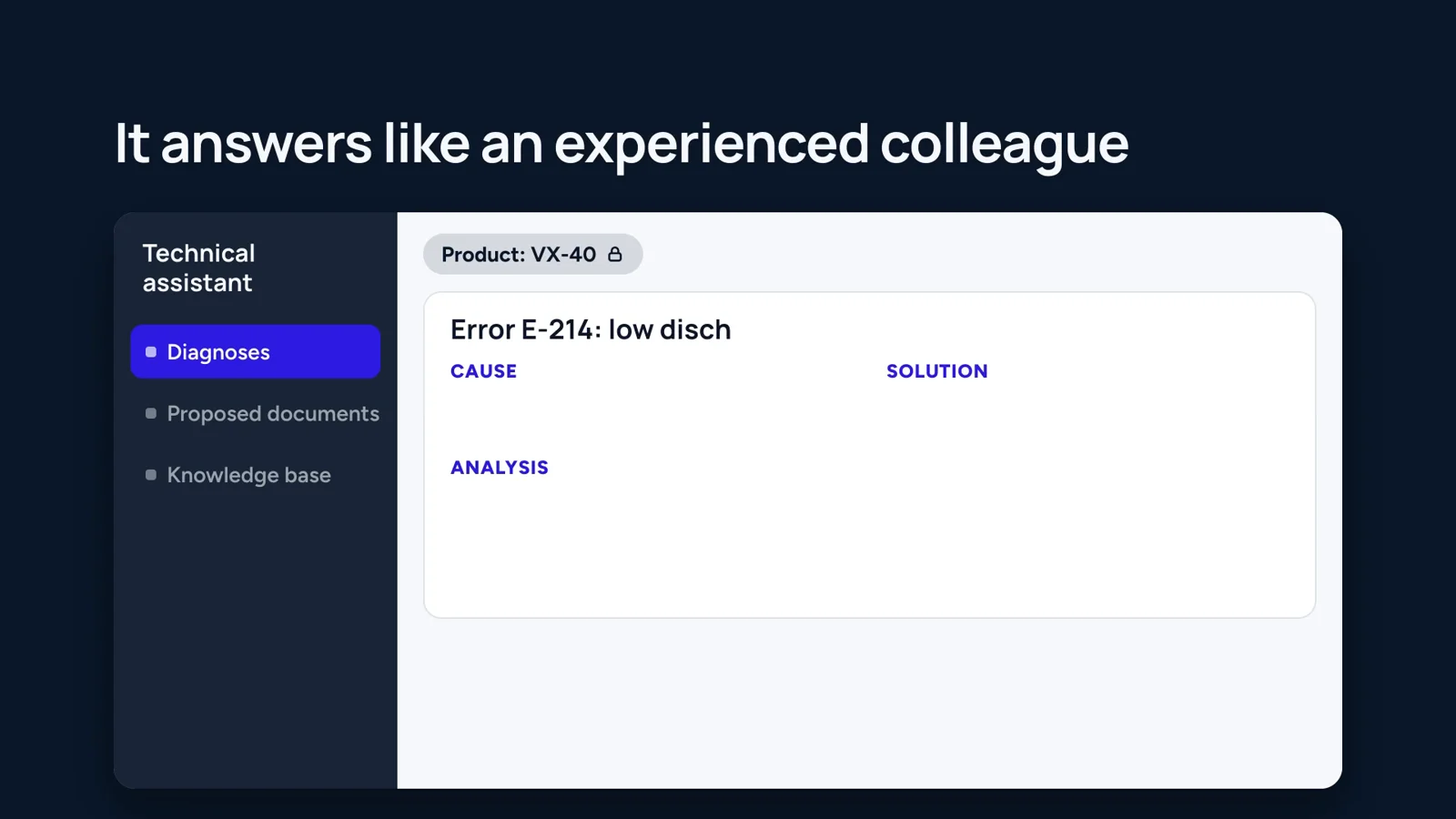
An AI assistant on company documents answers questions like an experienced colleague.
It finds the right passages in manuals, procedures and support cases, answers using only those and names the document. It is used, for example, in technical support and in research and development.
A question to the assistant, the answer with its sources
How an AI agent for knowledge management works
The base is built
Sources separated by product and by person, uploaded from the company’s systems.Sources separated by product and by person, uploaded from the company’s systems.
The assistant searches
It finds the right passages, even when the wording differs.It finds the right passages, even when the wording differs.
It answers from the documents
It writes only from what it found and names the documents.It writes only from what it found and names the documents.
It is tested and kept current
Real questions before release, then new documents sync.Real questions before release, then new documents sync.
A custom assistant, files in ChatGPT or Copilot
- When it is enough
- A few documents, one person
- Where it stops
- Everyone uploads their own files, with no permissions per person. With a personal account the data can train the models
- When it is enough
- Documents mostly in SharePoint, general questions
- Where it stops
- Sources outside the suite, such as a CRM or ERP, must be connected separately
- When it is enough
- Several sources, permissions per person, documents named, work tools connected
- Where it stops
- It has to be designed and tested on real questions
| When it is enough | Where it stops | |
|---|---|---|
| Files uploaded to ChatGPT | A few documents, one person | Everyone uploads their own files, with no permissions per person. With a personal account the data can train the models |
| Microsoft 365 Copilot | Documents mostly in SharePoint, general questions | Sources outside the suite, such as a CRM or ERP, must be connected separately |
| Custom assistant | Several sources, permissions per person, documents named, work tools connected | It has to be designed and tested on real questions |
Integration with SharePoint, Microsoft 365 and Salesforce
The assistant connects to the company’s systems, syncs new documents and lives in the tools people already work in.The assistant connects to the company’s systems, syncs new documents and lives in the tools people already work in.

SharePoint
Documents and folders come in from here, and new ones sync.Documents and folders come in from here, and new ones sync.

Microsoft 365
OneDrive and Teams are sources, and Teams is where to ask.OneDrive and Teams are sources, and Teams is where to ask.

Salesforce Service Cloud
It reads the open case in the support console and answers there.It reads the open case in the support console and answers there.

Azure
It runs on Azure, in the region the company chooses.It runs on Azure, in the region the company chooses.

Outlook and email
Emails are sources, searched along with the documents.Emails are sources, searched along with the documents.

Zendesk
Closed tickets become sources.Closed tickets become sources.
Company servers and ERPs
It reads folders on internal servers and an ERP such as SAP, also via VPN.It reads folders on internal servers and an ERP such as SAP, also via VPN.
Who sees what, and where the data lives
The company decides who sees what
Everyone sees the same documents, or there are permissions per person and documents separated by product.Everyone sees the same documents, or there are permissions per person and documents separated by product.
Data stays where the company decides
Also in its own cloud. The models do not use the data for training, and a DPA is signed for personal data.Also in its own cloud. The models do not use the data for training, and a DPA is signed for personal data.

Technicians ask from the CRM and the agent answers from manuals, emails and reports of past cases, with the procedure to follow. It is a dedicated service on the company’s cloud.
Read the storyIndustrial group based in the Treviso area: machinery and systems for wine, beverages, food and life sciences.
- Industry
- Industrial machinery
- People
- 1,001-5,000
Frequently asked questions about knowledge management with AI
RAG means the assistant first searches the company’s documents and then answers using only what it found, with the documents named.RAG means the assistant first searches the company’s documents and then answers using only what it found, with the documents named.
They are related names. A generic chatbot answers with what the model knows or with files uploaded by hand. A company brain reads the company’s sources and cites the document.They are related names. A generic chatbot answers with what the model knows or with files uploaded by hand. A company brain reads the company’s sources and cites the document.
It answers only from the documents it found and says how confident the answer is.It answers only from the documents it found and says how confident the answer is.
If the documents are mostly in SharePoint and the questions are general, it may be. With several sources or specific access rules, a custom assistant is needed.If the documents are mostly in SharePoint and the questions are general, it may be. With several sources or specific access rules, a custom assistant is needed.
For a few documents and one person, yes. With more people and different permissions, no: the chatbot does not know who can read what. With a personal account, moreover, conversations can train the models.For a few documents and one person, yes. With more people and different permissions, no: the chatbot does not know who can read what. With a personal account, moreover, conversations can train the models.
Yes: data where the company decides, sources named, permissions per person.Yes: data where the company decides, sources named, permissions per person.
Yellow Tech is an Italian company that builds custom RAG assistants, connected to the company’s systems and documents.Yellow Tech is an Italian company that builds custom RAG assistants, connected to the company’s systems and documents.
Everyone searches the same documents, or each person sees only the ones they can read.Everyone searches the same documents, or each person sees only the ones they can read.
Also in the company’s own cloud. The models do not use it for training, and a DPA is signed for personal data.Also in the company’s own cloud. The models do not use it for training, and a DPA is signed for personal data.
Read the guide on GDPR and AIIt depends on how many documents and sources are included, such as SharePoint, Salesforce or the internal servers, and how often they change. Per-person permissions, if needed, and where the data runs, for example in the company’s own cloud, also count. The quote comes after a first analysis of the process.It depends on how many documents and sources are included, such as SharePoint, Salesforce or the internal servers, and how often they change. Per-person permissions, if needed, and where the data runs, for example in the company’s own cloud, also count. The quote comes after a first analysis of the process.
Are the answers your employees need scattered across folders, email and manuals?
Yellow Tech builds the AI assistant that answers from company documents and cites the source. We start from where your documents are today.